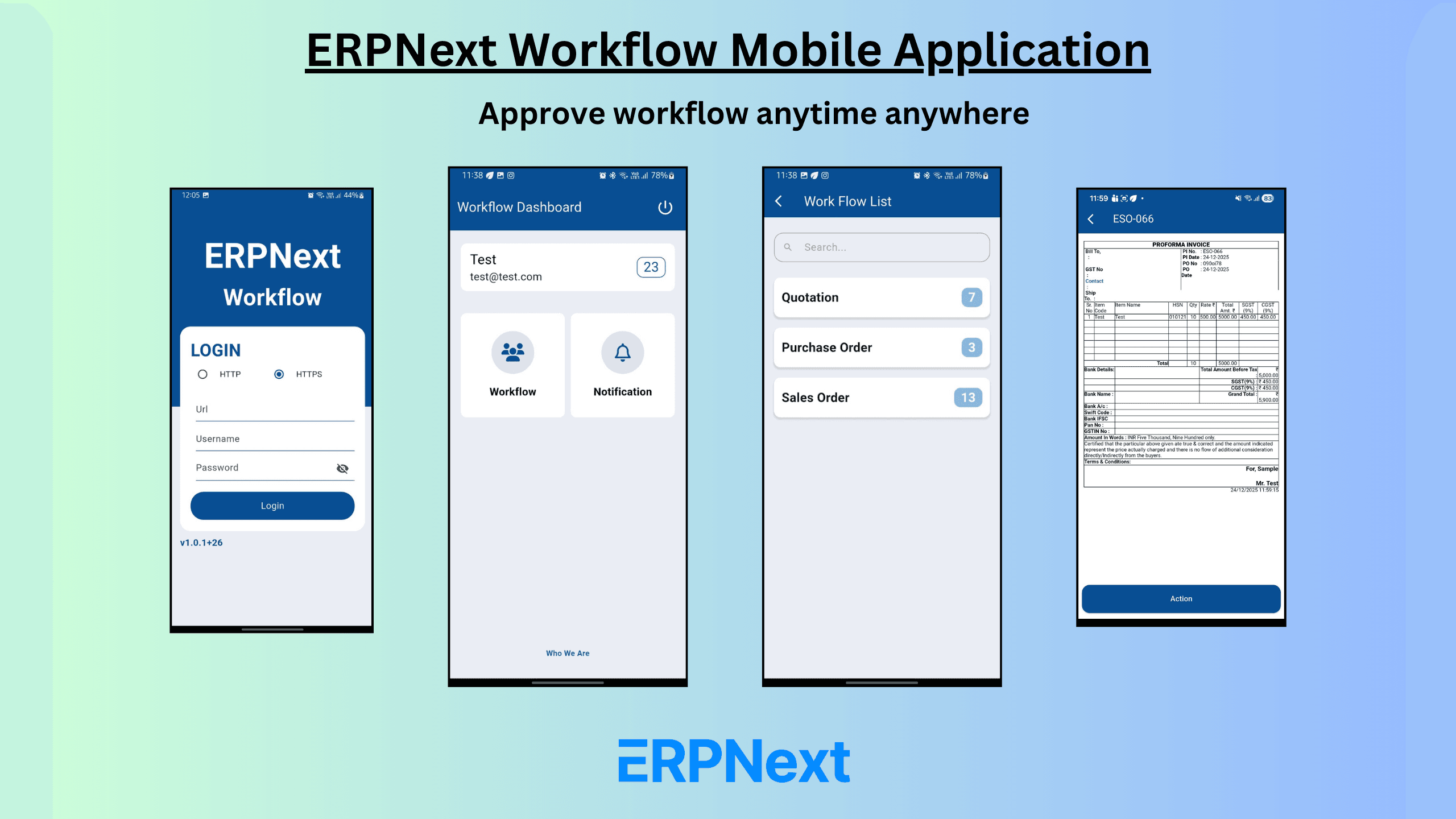

Discover how an ERPNext Workflow Mobile Application helps using mobile application approvals, real-time notifications, and faster business workflows for ERPNext users.
Why ERPNext Needs Mobile Workflow Automation using Mobile Application
ERPNext is a powerful and flexible ERP Open-source platform used by manufacturing, trading, and service various businesses globally. However, many companies still face delays in approvals and workflow process because of ERPNext access is limited to desktops or laptops.
To solve this challenge, we have developed a dedicated ERPNext Workflow Mobile Application that allows users to manage approvals, and workflow actions directly from their mobile devices—anytime, anywhere with the help of the mobile app.
ERPNext workflow application approach helps businesses to unlock the true power of ERPNext workflow automation.
What Is an ERPNext Workflow Mobile Application?
An ERPNext Workflow Mobile Application is a secure mobile app that integrates easily with your ERPNext application. It helps users to view, approve, reject, and track ERPNext workflow documents without login into the web interface into the system.
The application works with both standard ERPNext as well as customize ERPNext system, it helps both systems to leverage the workflow mobile application.
Key Features of the ERPNext Workflow Mobile App
1. Mobile Workflow Approvals in ERPNext
Approve or Reject ERPNext documents promptly from your mobile phone, Highlight features:
- Sales Orders
- Quotation
- Purchase Orders
- Material Requests
- Expense Claims
- Leave Applications
This significantly reduces approval delays and make the operational fast without any delays.
2. Real-Time Push Notifications
The workflow app sends instant notifications for:
- Pending approvals
- Workflow status changes
User can not miss any important approval using the mobile application.
3. Secure ERPNext Integration
Security is built into the core:
- Role-based Permission access control
- User base permissions control
- Encrypted communication via API
Permitted role and user can only see the respective data.
4. App work with Custom ERPNext Workflows
Every business has different processes. This ERPNext workflow mobile application fully supports:
- Support in Customize ERPNext system
- Multi-level approvals
- No changes required to your existing ERPNext system.
5. Lightweight, Fast & User-Friendly UI/UX
Designed for ease of use:
- Single click approval
- Simple mobile interface design
- Fast performance
- No additional training required
Ensures large user acceptance across business teams and groups.
Benefits of Using an ERPNext Workflow Mobile Application
Mobile application workflow automation in ERPNext delivers lots of benefits:
- Make the decision fast
- Minimize approval obstruction
- Enhance productivity
- Higher ERPNext adoption
- Better management visibility
- Work-from-anywhere flexibility
This transforms ERPNext into a real-time, always-accessible ERP system.
ERPNext Workflow Mobile Application: Use Cases
Common use cases include:
- Approving Sales order / purchase orders from anywhere
- Immediate expense claim approvals
- Real-time approvals
- Faster financial & accounts approvals
- Management can approve without ERPNext web-interface
These use cases help businesses move faster without any control.
Conclusion:
The ERPNext Workflow Mobile Application is a strategic step toward the business faster approval process. Businesses may greatly increase workflow efficiency and decision speed by offering mobile approvals and real-time notifications.
ERPNext Workflow Mobile Application is the best option if your company uses ERPNext and wants to remove approval delays, boost productivity, and provide staff more mobility.
Get Started with ERPNext Mobile Workflows App:
Google Play Store:
Click Here to download Mobile Application
How to Install and configure app in ERPNext:
Click here to Read Installation Guide