Frappe Helpdesk: customer support software with no per-agent fees
Open-source ticketing for email and WhatsApp, like Zendesk or Freshdesk, with response deadlines, automatic assignment and a customer portal. You pay for hosting, not for every agent. We set it up, move your tickets in and train your team.
Book a free 30-minute setup call
See how your support would run in Frappe Helpdesk, and what setup would cost.
- One-time setup from $1,000
- No per-agent licence fees
- Open source (AGPL-3.0)
- Your data stays yours
What is Frappe Helpdesk?
Frappe Helpdesk is open-source customer support software, made by Frappe Technologies, the company behind the ERPNext business software. It turns customer emails and portal requests into tickets with an owner and a deadline, shares them out automatically, and gives customers a help centre: the same job Zendesk, Freshdesk or Zoho Desk do. We add WhatsApp to the same queue.
The difference is how you pay. There is no per-agent licence: you pay for hosting, on Frappe Cloud or your own server, so adding agents costs nothing. Midocean, a Frappe Silver Partner, sets it up, moves your old tickets in and trains your team.
- 1,000+teams use Frappe Helpdesk, according to Frappe
- 60,000+tickets handled on it by Frappe’s own support team
- 3,500+stars for its open-source code on GitHub
Sound familiar?
Frappe Helpdesk fixes the workflow. We set it up right the first time.
- One shared Gmail or Outlook inbox, and emails get missed.
- Two people answer the same customer while another email waits for days.
- Nobody knows which tickets are overdue until a customer complains.
- The helpdesk bill goes up with every agent you hire.
- Customers message agents’ personal WhatsApp numbers, and those chats never become tickets.
How it solves each problem
Pick a feature to see its screens. Everything here comes with every package.
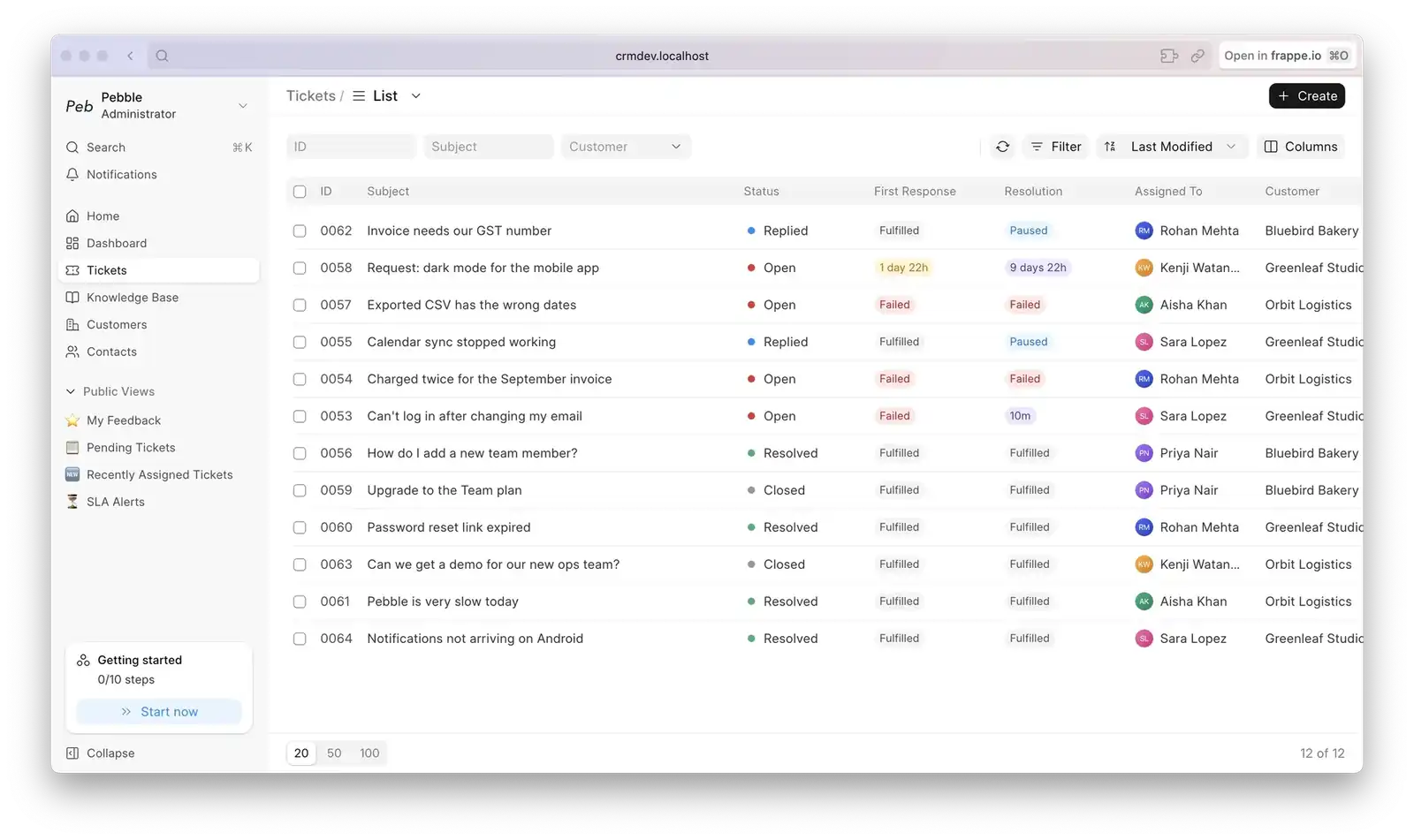
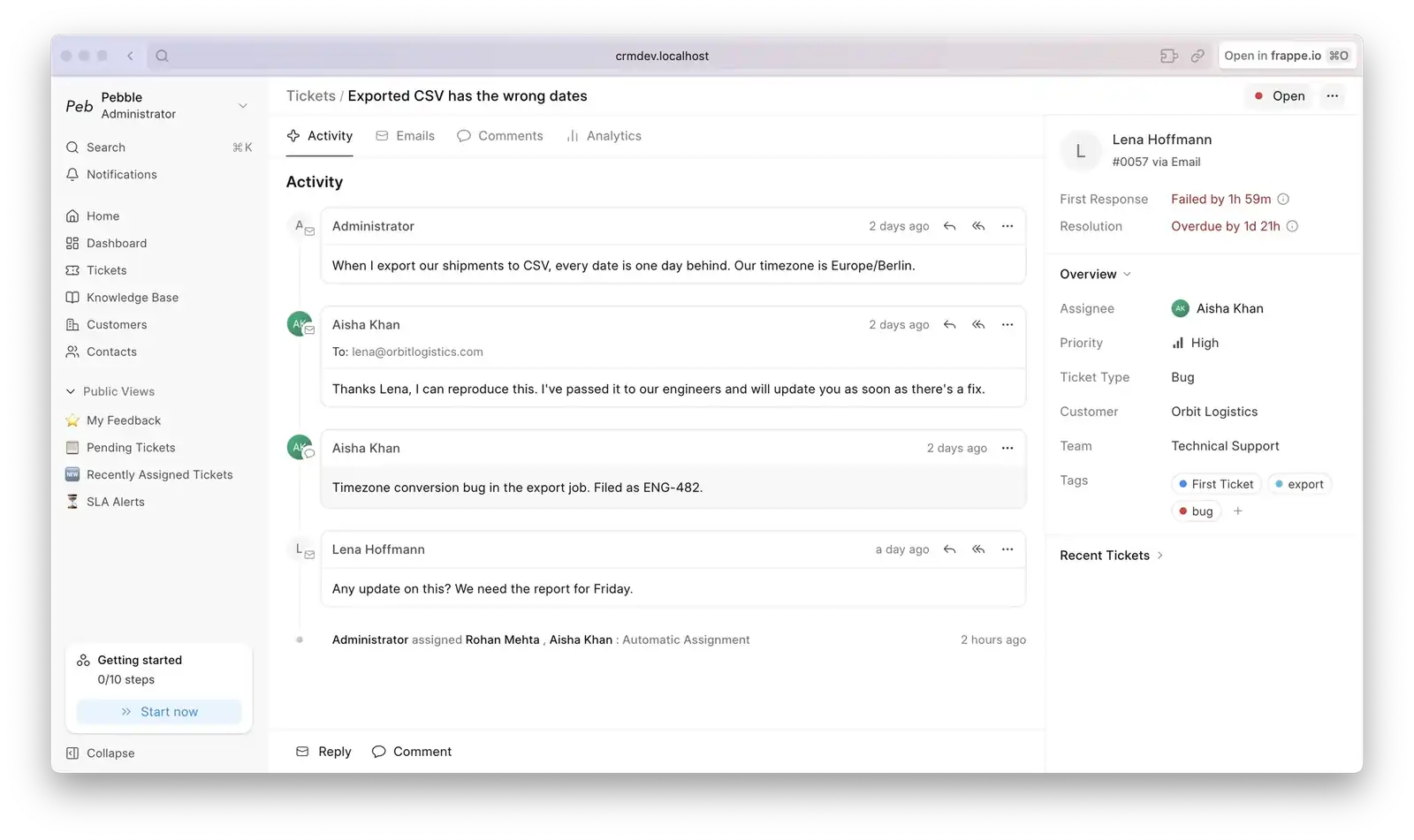
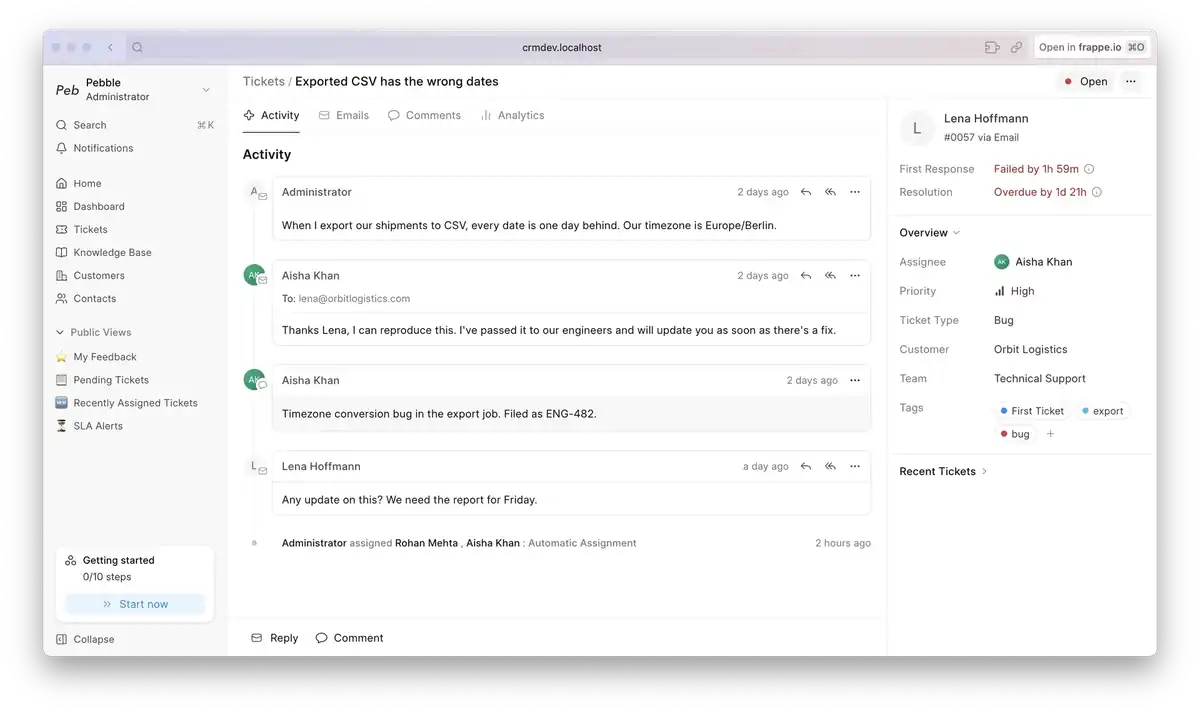
Every email becomes a ticket with an owner
Connect your support@ address. Each email becomes a ticket with a status, a priority and the agent who owns it, and customers keep writing to the same address.
- Gmail, Outlook, Yahoo or any mail server
- Private internal comments with @mentions
- Merge duplicates, split questions, reply in bulk
- Your own fields, such as order ID or product
WhatsApp chats in the same queue
Your customers already message you on WhatsApp. We connect your company’s WhatsApp Business number on the official WhatsApp Business Platform, so every chat becomes a ticket.
- Each chat gets an owner, a priority and a deadline
- Agents reply from the ticket, customers get it on WhatsApp
- Approved templates for received and resolved updates
- Your company number, not an agent’s personal phone
- A customer messages your WhatsApp Business number
- It becomes a ticket with an owner and an SLA timer
- An agent replies from the ticket
- The answer arrives on WhatsApp
Meta bills WhatsApp messages separately: each business number gets 1,000 free service messages a month, then pays per message at a rate set by the customer’s country.
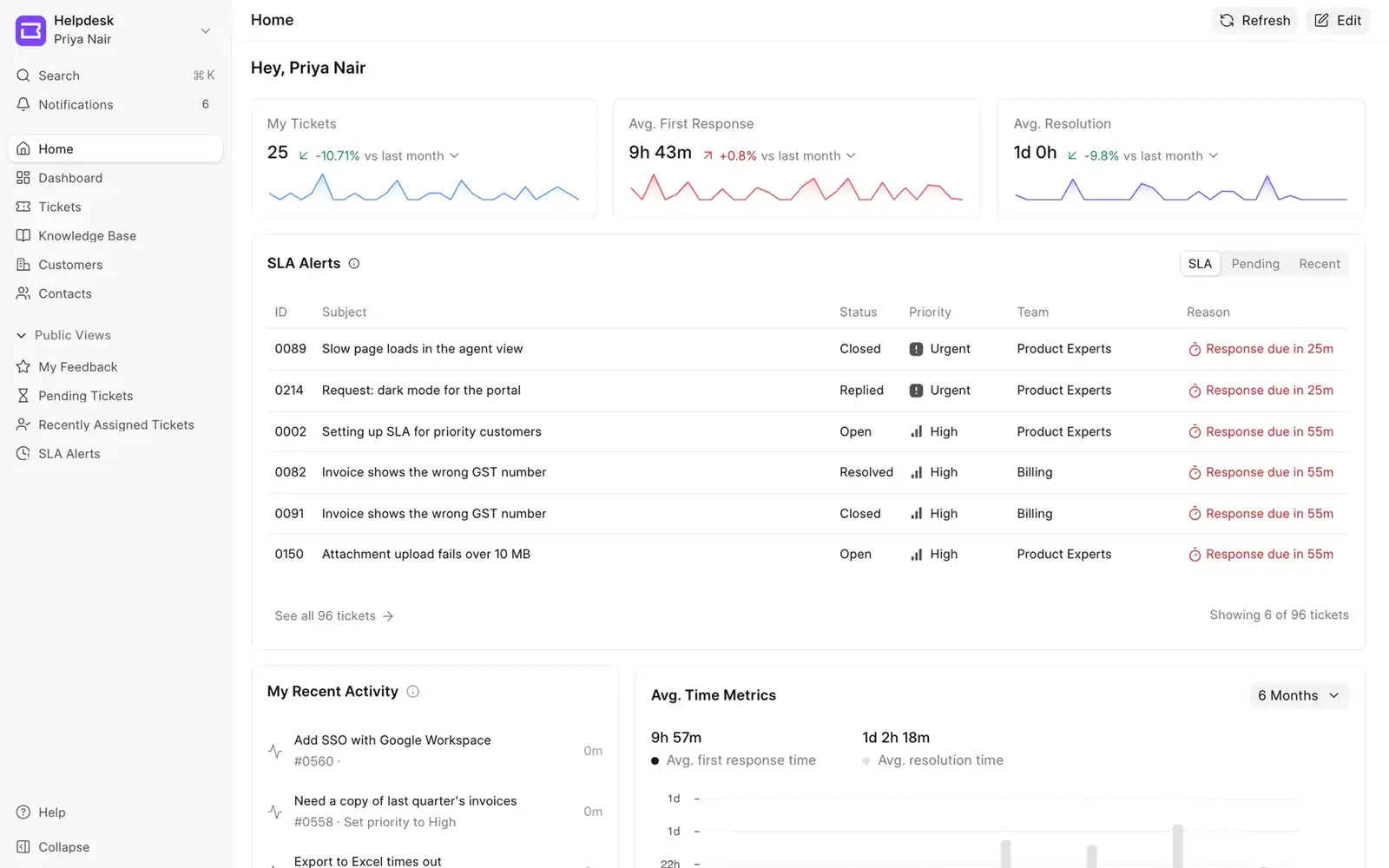
Never miss a response deadline
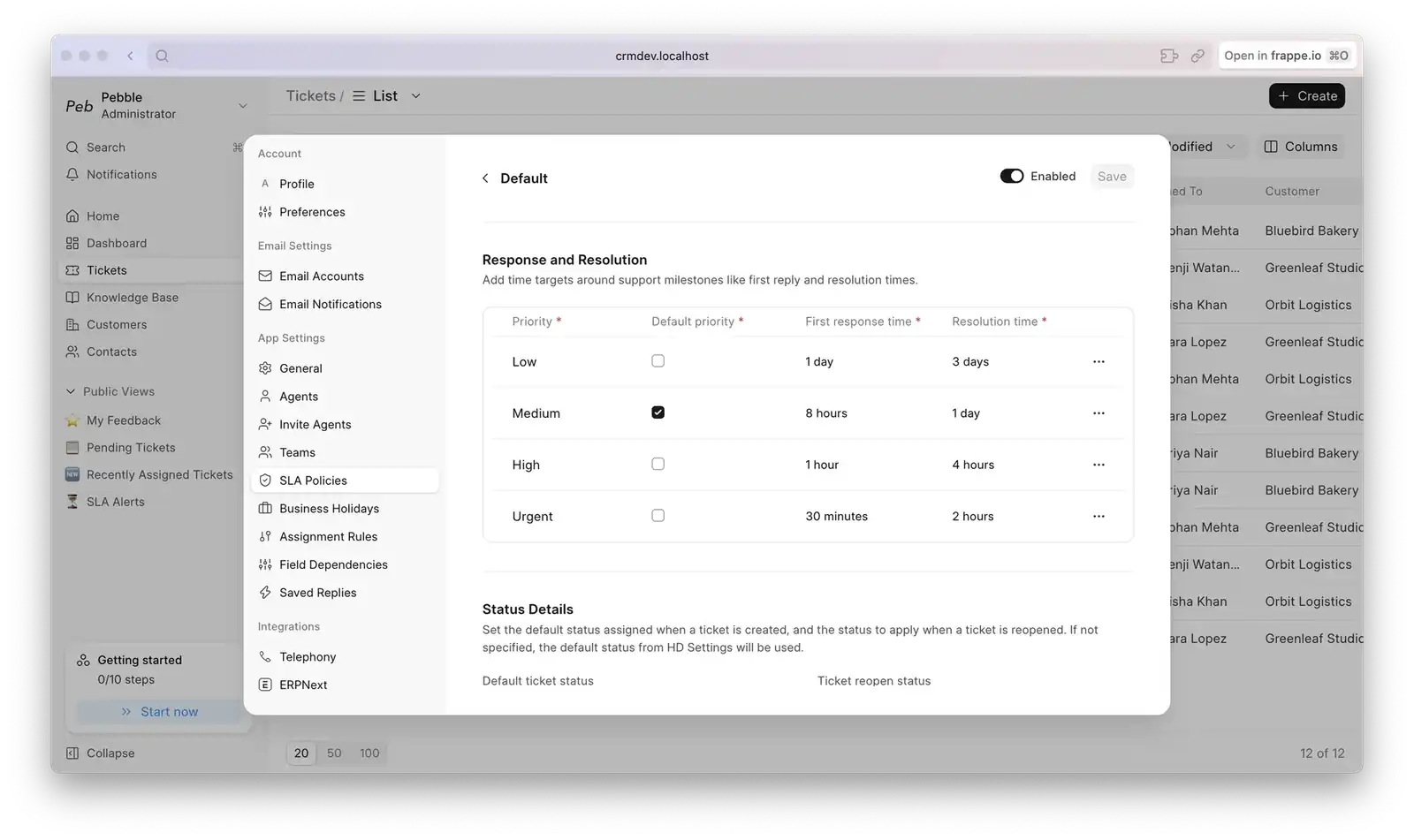
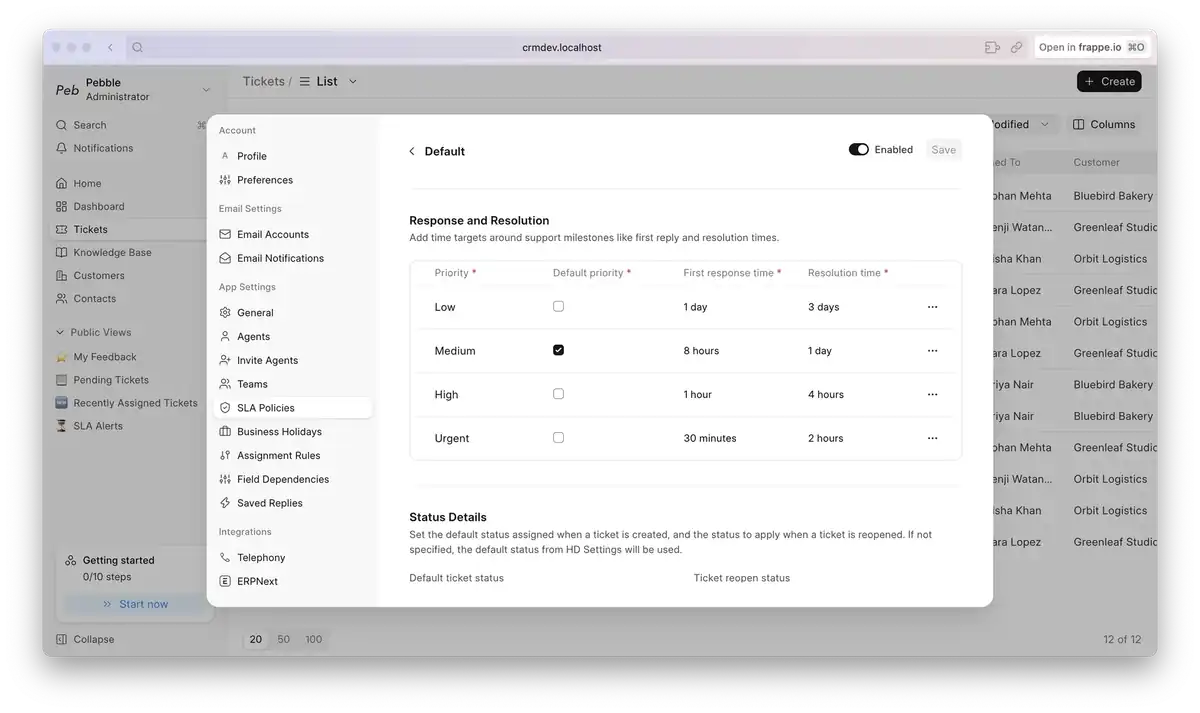
An SLA is a promise to answer and resolve within a set time. Set targets for each priority, and every ticket shows how long it has left.
- First-response and resolution targets per priority
- Counts working hours only, skipping holidays
- Pauses while you wait on the customer
- Faster targets for key customers
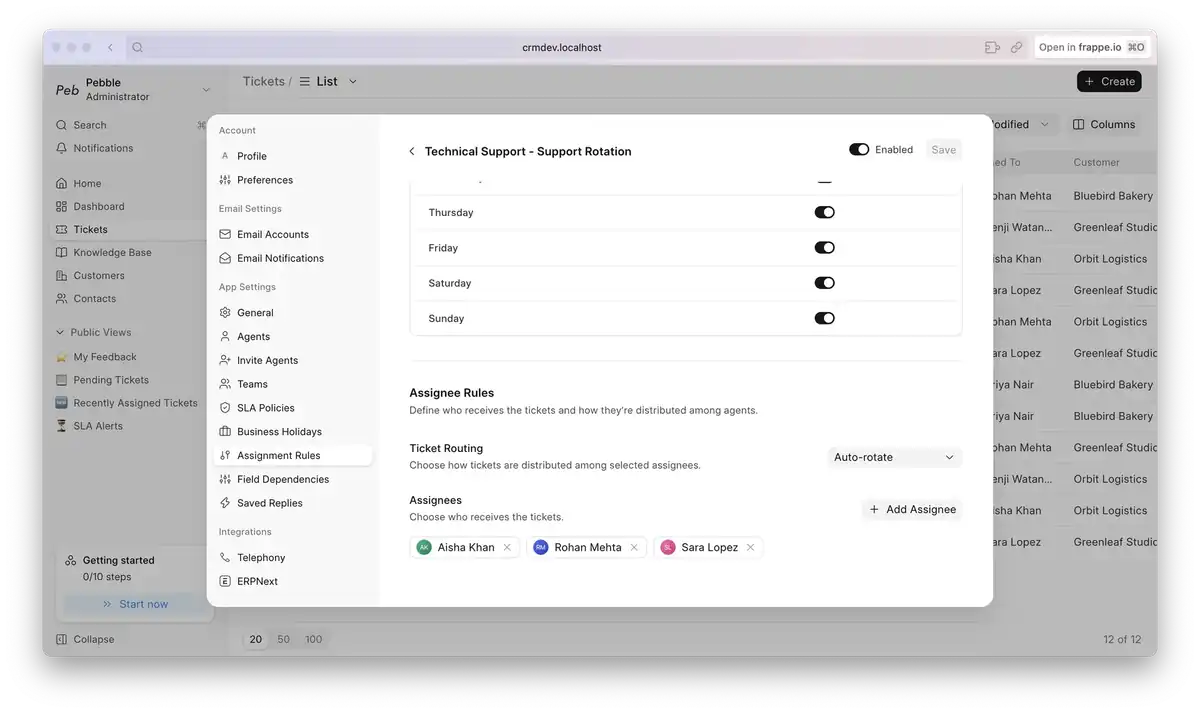
The right ticket reaches the right person
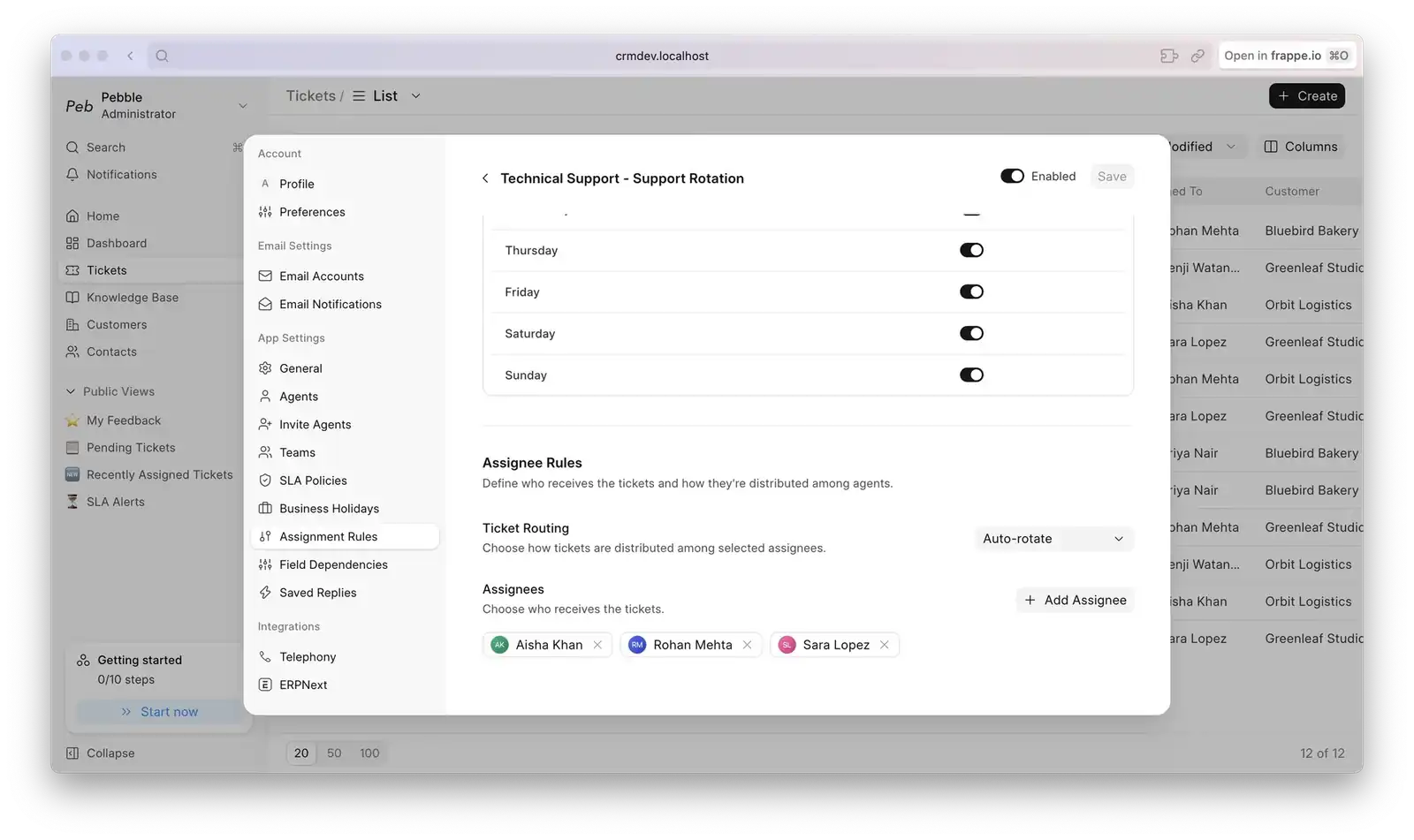
No more “whoever gets there first”. Rules share tickets out automatically, team by team.
- Rotate tickets, or balance them by workload
- Rules by team, priority or ticket type
- Agents marked Away are skipped
- No ticket is left without an owner
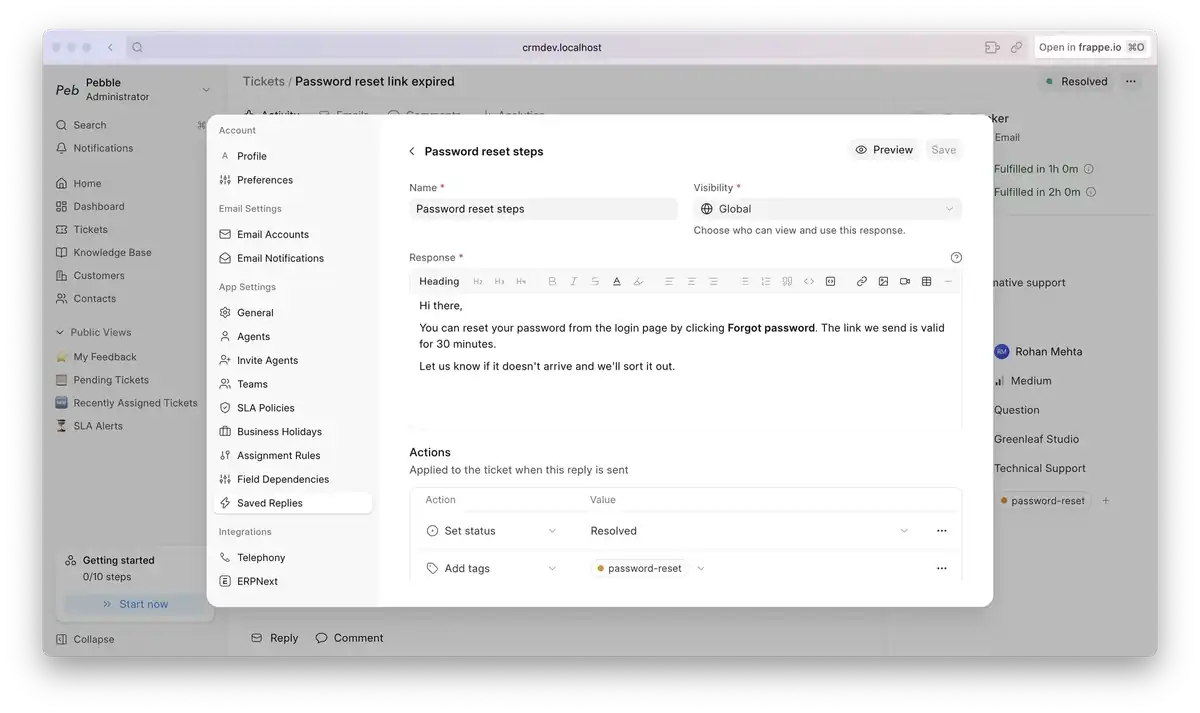
Answer common questions once
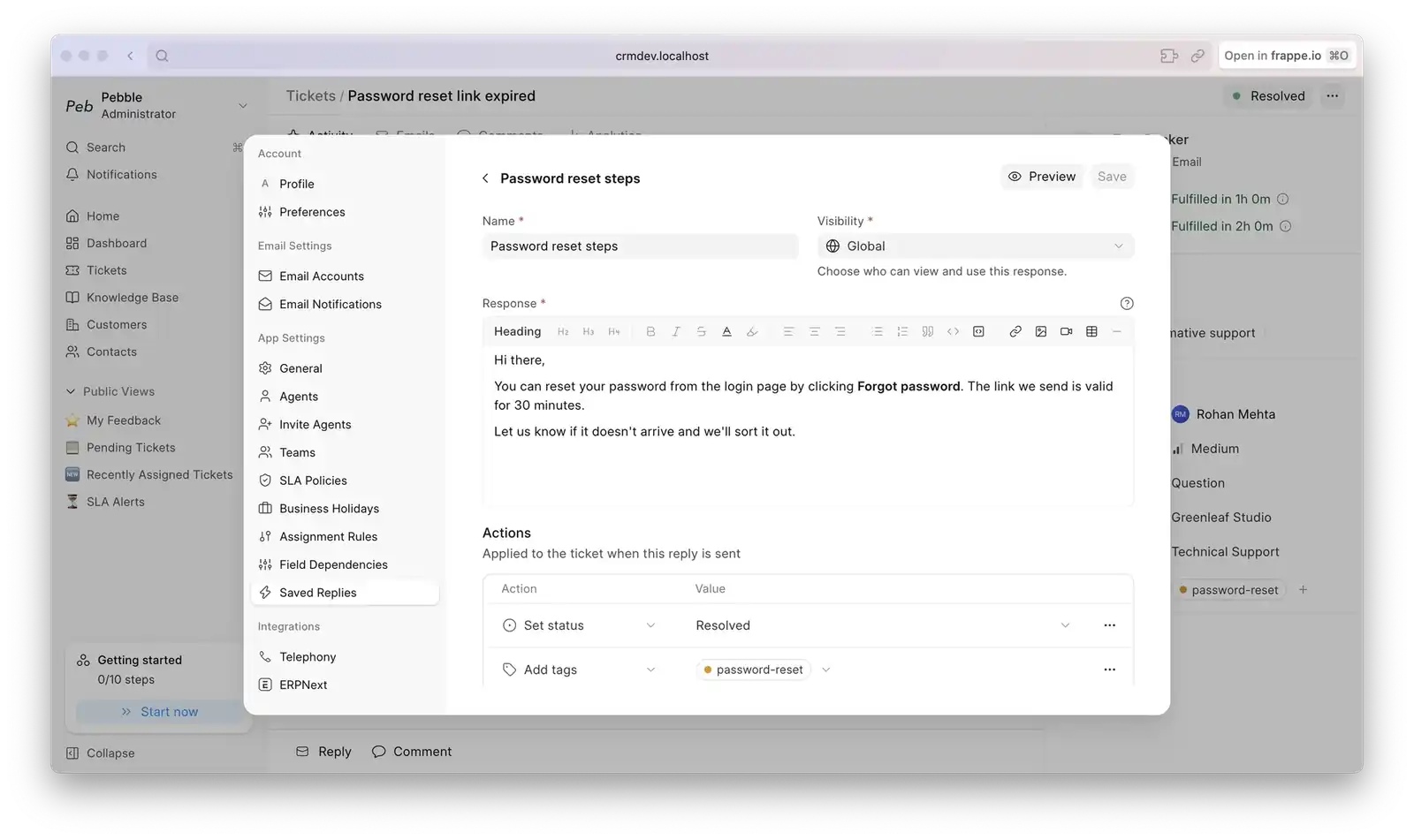
Save the answers your team types every day and insert them in one click, with the customer’s name and ticket details filled in.
- One-click replies with ticket details filled in
- Can also set the status, tags or team
- Shared with everyone, a team, or personal
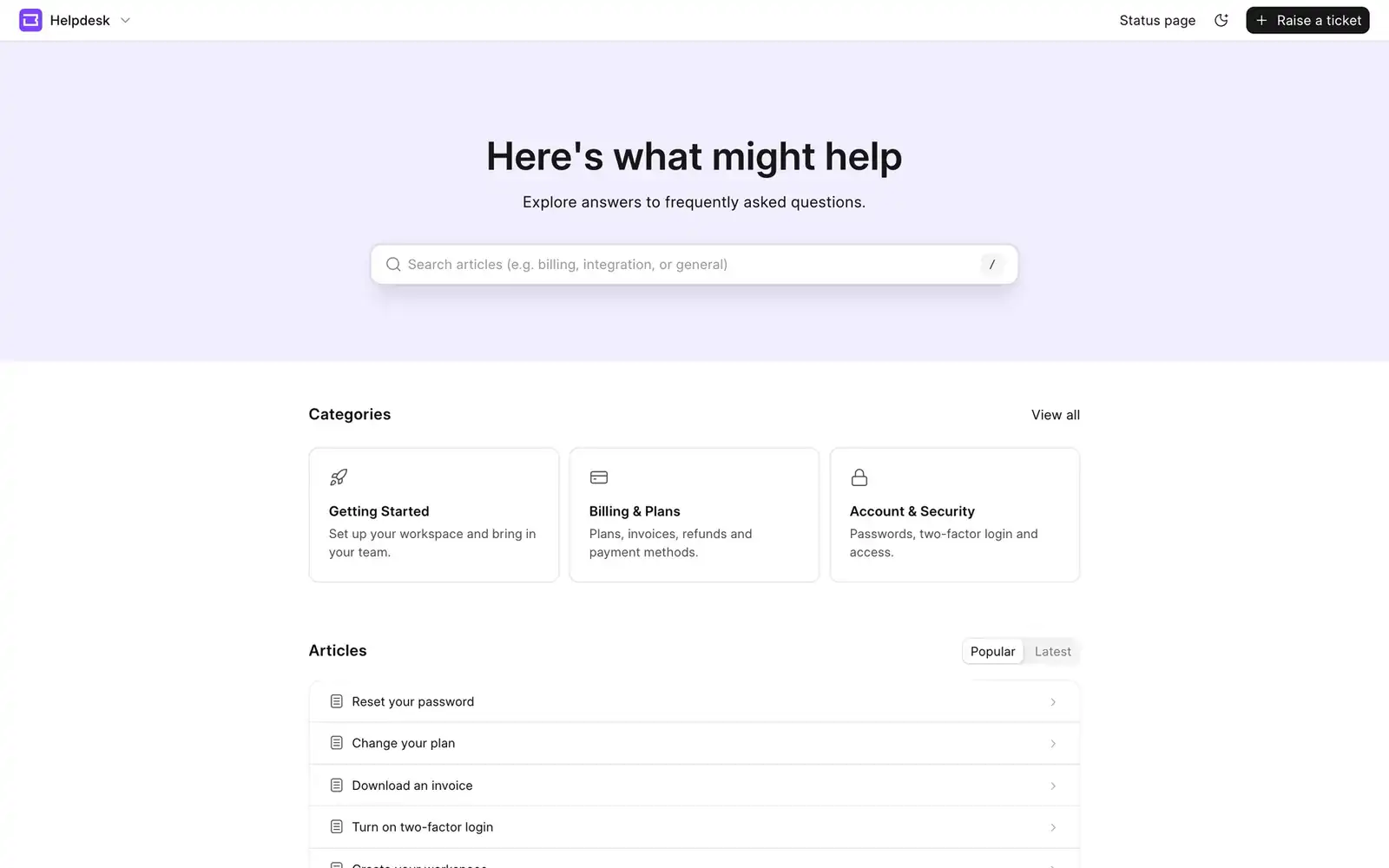
A help centre with your name on it
Customers find answers themselves, or raise and track tickets in a portal with your name and logo.
- Help articles suggested while customers type
- Articles public, for customers, or internal
- Customers see each ticket’s progress
- Company managers see all their team’s tickets
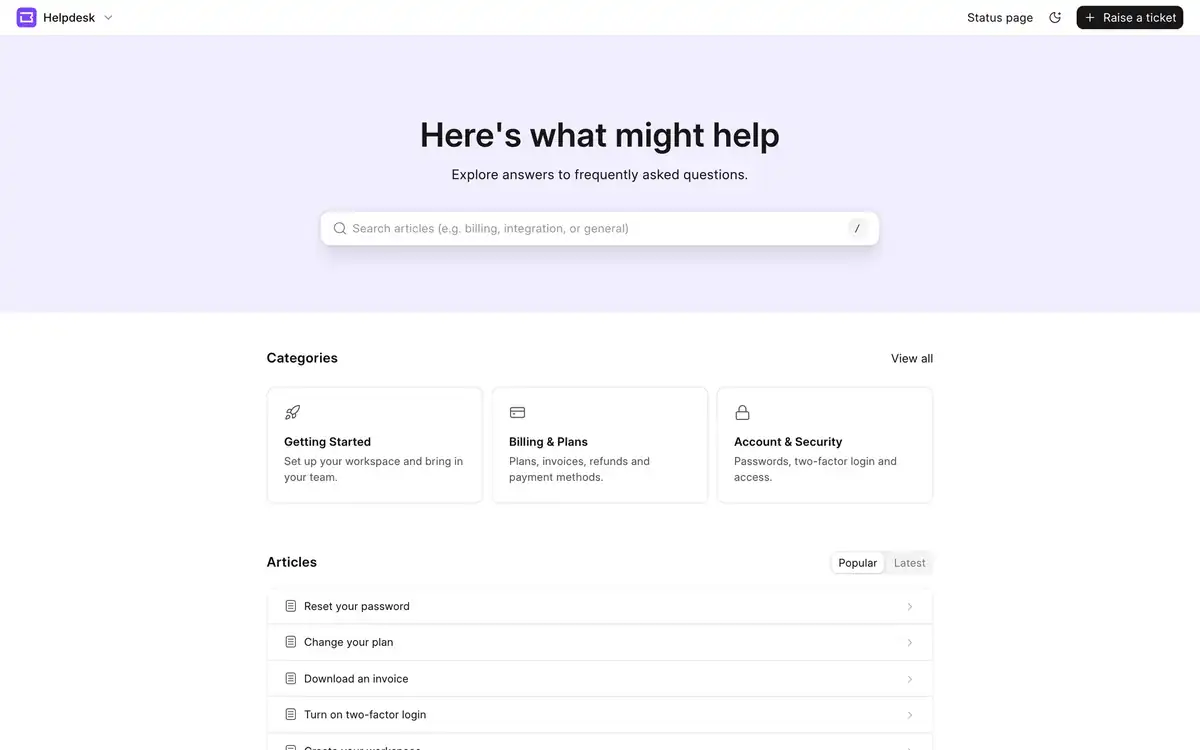
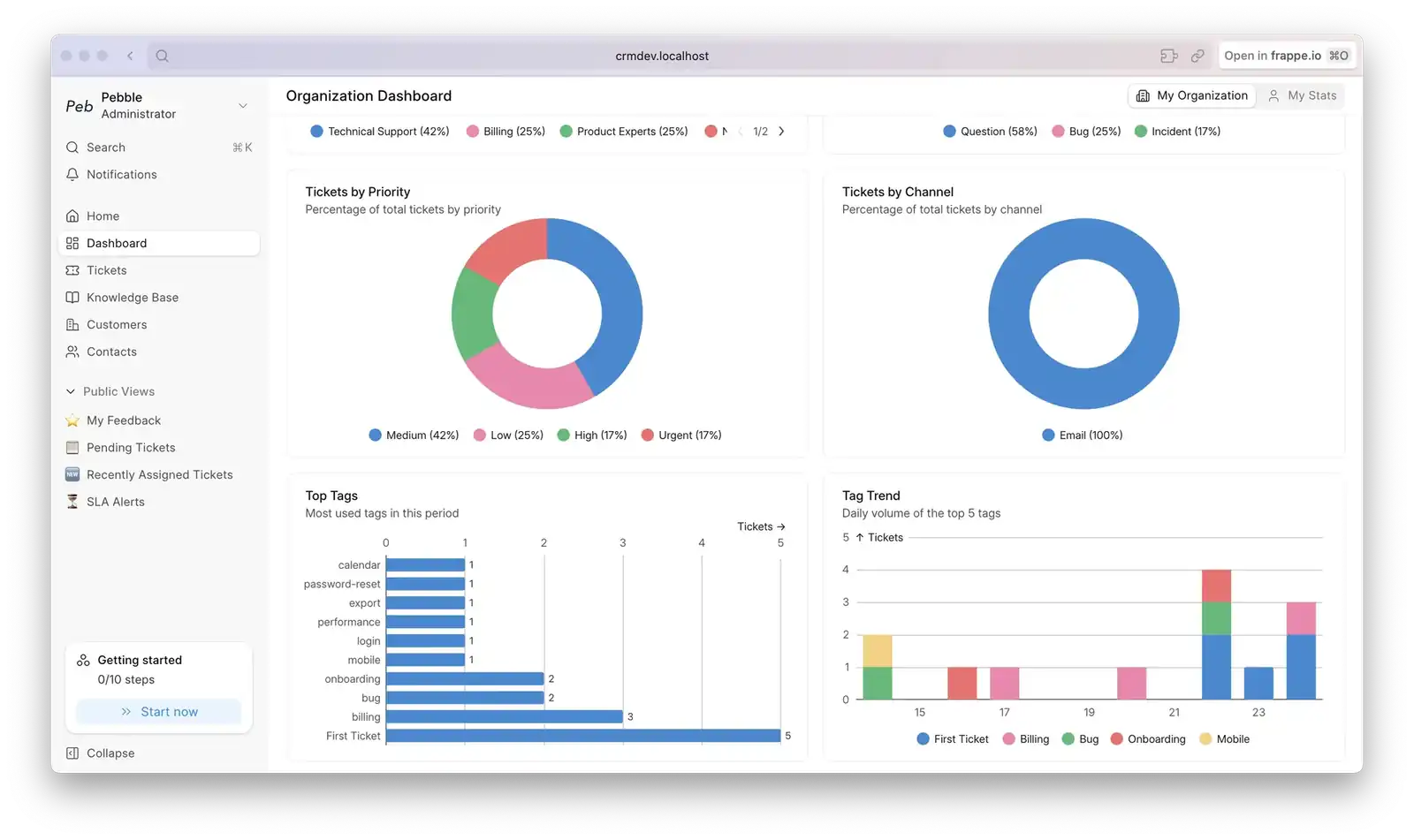
See how your support is doing
Every agent and manager sees workload, response times and customer ratings, without building reports.
- Response and resolution times with trends
- Alerts for tickets close to their deadline
- Tickets by priority, channel and topic
- Customer ratings, and export to Excel or CSV
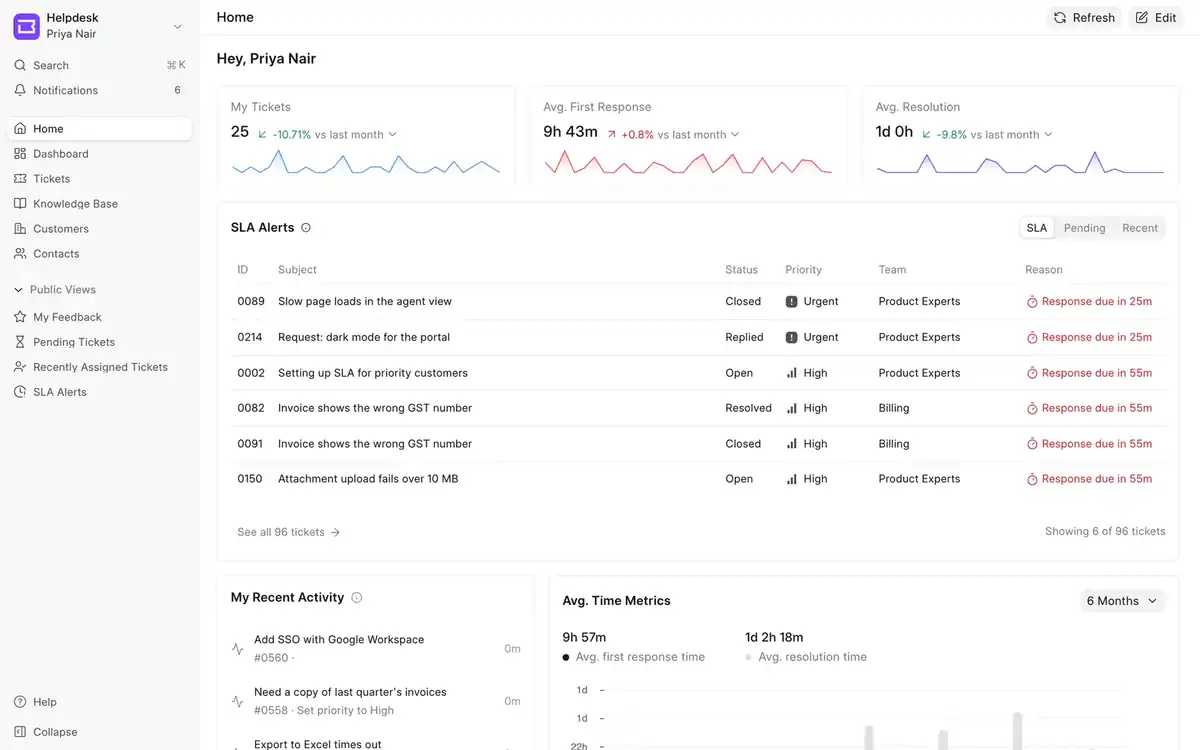
ERPNext, phone calls and mobile
Helpdesk runs on its own. If you use ERPNext, it can share your customer records with it.
- ERPNext customers synced both ways
- Calls from the ticket with Twilio or Exotel
- Install on phones from the browser
Everything included, for every agent
No feature is held back for a higher plan, and no add-on is charged per agent.
Tickets
8 features
- Email to ticket from any mailbox
- Tickets from your customer portal
- WhatsApp tickets, added by Midocean
- Internal comments and @mentions
- Merge, split and bulk actions
- Custom fields that depend on each other
- Ticket types, priorities and tags
- Saved views, filters and quick search
Automation
8 features
- Response deadlines by priority and customer
- Working hours, breaks and holidays
- Clock pauses while waiting on the customer
- Round-robin and workload-based assignment
- Agent availability: Active, Away, Unavailable
- Saved replies that also update the ticket
- Inactive tickets closed automatically
- A banner outside working hours
Self-service
5 features
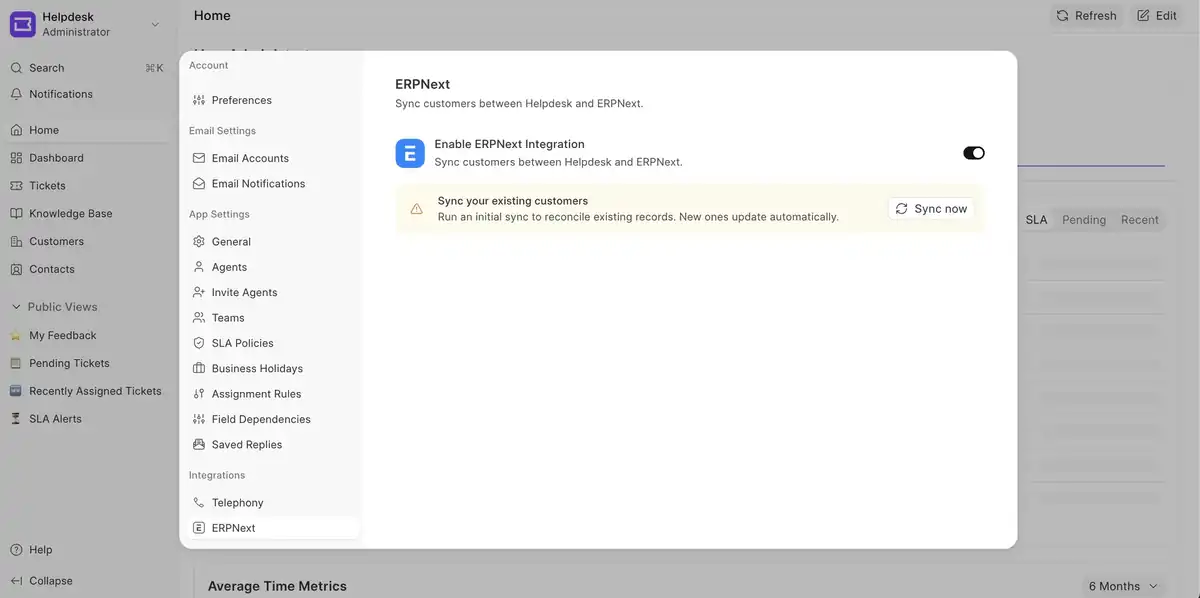
- Help centre with categories and search
- Article suggestions while customers type
- Public, customer-only or internal articles
- Customer companies with manager access
- Your name and logo on the portal and replies
Reports
6 features
- Response and resolution times with trends
- Alerts for tickets close to their deadline
- Tickets by priority, channel and tag
- A timeline for every ticket
- Customer satisfaction ratings
- Export to Excel or CSV
Platform
8 features
- Unlimited agents, no per-agent fees
- Open source (AGPL-3.0)
- Frappe Cloud or your own server
- ERPNext customer sync
- Phone calls with Twilio or Exotel
- Installs on phones from the browser
- Dark mode
- AI tools through MCP (version 16)
Need something not listed?
Extra fields, workflows and links to your other systems are built by our Frappe developers and quoted separately.
Ask on a setup callWhat you would pay over three years
Zendesk, Freshdesk and Zoho Desk charge for every agent, every month. Frappe Helpdesk has no per-agent fee: you pay our setup once, then hosting.
A fair comparison needs the same features. Frappe Helpdesk has SLA policies with business hours and holidays, automatic assignment, custom fields, a customer portal with a knowledge base, and satisfaction ratings. Each competitor is shown on its lowest plan with all of them:
- Zendesk Suite Professional. Suite Team ($55) has no SLA policies, ratings or customer portal.
- Freshdesk Pro, or Omni Pro with WhatsApp. Growth ($19) has no round-robin assignment or ratings.
- Zoho Desk Professional. Standard ($14) has no round-robin assignment.
Over three years, 25 agents cost $4,880 with Frappe Helpdesk, setup and hosting included. That is $15,820 less than Zoho Desk Professional, the cheapest of the three.
| Plan with the same features | 3 years |
|---|---|
| Zendesk Suite Professional$115 per agent a month = $34,500 a year | $103,500 |
| Freshdesk Omni Pro$79 per agent a month = $23,700 a year | $71,100 |
| Zoho Desk Professional$23 per agent a month = $6,900 a year | $20,700 |
| Frappe Helpdesk with Midocean$2,000 setup once, WhatsApp included, then about $960 a year for hosting* | $4,880 |
More than 50 agents? We quote it on the call. *Hosting: Frappe Cloud’s Growth plan at $80 a month, our estimate for this team size; your quote confirms it. Meta’s WhatsApp message charges apply with every option.
Setup pricing: one fee, no per-agent charges
Pick the package for your team size. Agents you add after go-live cost nothing.
Starter
Up to 10 agents$1,000one-time
- Set up on Frappe Cloud or your own server
- SLA policies, working hours and holidays
- 1 support email address
- 1 WhatsApp Business number
- Up to 2 teams with assignment rules
- Up to 10,000 tickets migrated, with customers
- Up to 10 custom ticket fields
- 2 hours of live training
- 30 days of support after go-live
Growth
11–25 agents$2,000one-time
- Set up on Frappe Cloud or your own server
- SLA policies, working hours and holidays
- Up to 3 support email addresses
- 1 WhatsApp Business number
- Up to 5 teams with assignment rules
- Up to 50,000 tickets migrated, with customers
- Up to 20 custom ticket fields
- 4 hours of live training
- 45 days of support after go-live
Scale
26–50 agents$3,500one-time
- Set up on Frappe Cloud or your own server
- SLA policies, working hours and holidays
- Up to 5 support email addresses
- Up to 2 WhatsApp Business numbers
- Up to 10 teams with assignment rules
- Up to 150,000 tickets migrated, with customers
- Up to 30 custom ticket fields
- 8 hours of live training
- 60 days of support after go-live
Billed separately: hosting (Frappe Cloud from $20 a month, or your own server), Meta’s per-message WhatsApp charges, and custom work beyond your package. More than 50 agents, or ongoing support after the go-live period? We quote it on the call.
A Zendesk, Freshdesk and Zoho Desk alternative without per-agent fees
When another tool fits better: if you need website live chat or an AI agent that answers customers on day one, Zendesk or Freshdesk Omni ship those out of the box. With five agents or fewer and no ERPNext, Zoho Desk’s free or Express plan may cost less. We tell you honestly on the call.
| Feature | Zendesk | Freshdesk | Zoho Desk | Frappe Helpdesk |
|---|---|---|---|---|
| Plan with SLAs, auto-assignment, portal and ratings | Suite Professional, $115 per agent a month | Pro, $55 per agent a month ($79 on Omni Pro with WhatsApp) | Professional, $23 per agent a month | Every setup package, no per-agent fees |
| How you pay | Per agent | Per agent | Per agent | Setup once, then hosting by size |
| Business-hours calendars | One on Suite Professional; more on Enterprise | More than one on Pro | One on Professional; more on Enterprise | One for each SLA policy |
| Free option | 14-day trial; no free plan | 14-day trial; a free programme for up to 2 agents for 6 months | Free plan for up to 3 agents | Free to self-host |
| Run it on your own servers | No | No | No | Yes |
| Source code you can change | No | No | No | Yes (AGPL-3.0) |
| Native ERPNext link | No | No | No | Yes |
| Included on Suite plans, with extra Zendesk fees | Needs Freshdesk Omni (Omni Pro to match these features) | Standard plan and above | Added by Midocean, on the official WhatsApp Business Platform | |
| Live chat | Included in Suite plans | Needs Freshdesk Omni or Freshchat | A widget for signed-in customers from Standard; full live chat on Enterprise | Not built in |
| AI | AI agents billed per automated resolution beyond those included; Copilot $50 per agent a month, Professional and above | AI agent sessions beyond the first 500 billed; Copilot $29 per agent a month, Pro and above | Zia AI from the Professional plan | No built-in AI agent; on version 16 your own AI tools can work with tickets through MCP |
Why go through Midocean instead of setting it up yourself?
Frappe Helpdesk is free and open source. Getting it right for your team is the hard part.
- Email, SLAs and assignment configuredTrial and error with the settingsConfigured to your workflow in the first week
- Old tickets and customers moved overYou script the migrationWe migrate them, then check them with you
- WhatsApp channelMeta verification, the API and an add-on appWe connect your number and set it up
- Help when something breaksThe community forumOur team, for 30 to 60 days after go-live
- Team adoptionAgents figure it outLive training for agents and managers
- We run our own client support on Frappe Helpdesk.See how our support desk works
Questions we hear before every switch
What is Frappe Helpdesk?
Open-source customer support software made by Frappe Technologies, the company behind ERPNext. It turns customer emails and portal requests into tickets with an owner and a deadline, assigns them automatically and gives customers a help centre, much like Zendesk or Freshdesk, but with no per-agent licence.
Do we need ERPNext to use Frappe Helpdesk?
No. Frappe Helpdesk runs on its own. If you already use ERPNext, it can run on the same site and share your customer records.
Who is Midocean?
Midocean Technologies is a Frappe Silver Partner with offices in London, Ahmedabad and Sharjah. We have built on the Frappe Framework since 2016, and our own client support runs on Frappe Helpdesk.
Is Frappe Helpdesk free?
The software is free and open source under the AGPL-3.0 licence, with no per-agent fees. You pay for hosting, on Frappe Cloud or your own server, and for our setup if you want help with it.
Can we keep our existing support email address?
Yes. Your support address connects to the helpdesk, and customers keep writing to it as usual.
Can we bring our old tickets over?
Yes. We move tickets and customer records from your current helpdesk or shared inbox, for example Zendesk, Freshdesk, Zoho Desk or a Gmail or Outlook mailbox, and check them with you before you switch. Each setup package includes a number of migrated tickets.
Can customers reach us on WhatsApp?
Yes. Frappe Helpdesk takes tickets by email and through its customer portal, and we add WhatsApp on the official WhatsApp Business Platform, so chats arrive as tickets alongside email, with the same SLAs and assignment rules. Website live chat is not built in; if you need it, ask us on the call.
Do WhatsApp messages cost extra?
Yes. Meta charges per message, separately from the helpdesk, whichever helpdesk you use. Each business number gets 1,000 free service messages a month, and the rate after that depends on your customers’ country. Meta bills the WhatsApp Business account the number belongs to.
Can we keep our current WhatsApp number?
Usually, yes. A number already used in the WhatsApp Business app has to be registered on the WhatsApp Business Platform first. We take you through the steps, or connect a new number if you prefer.
What happens to the cost when our team grows?
Setup is paid once, and agents you add later cost nothing, because there are no per-agent fees. You would only pay more for hosting if your ticket volume needs a bigger plan.
How long does setup take?
It depends on how many tickets we migrate, how many teams and channels you have and how much you customise. After the setup call you get a dated plan.
Where is our data hosted?
Your choice: Frappe Cloud, run by Frappe, the company behind Frappe Helpdesk, or your own servers. It is open source, so you are never locked in.
We already use ERPNext. Does it connect?
Yes. With Helpdesk on the same site as ERPNext, customers are synced both ways, so your support and sales teams work from the same customer records.
Does Frappe Helpdesk have AI?
It has no built-in AI agent that answers customers. On version 16, your own AI tools can work with tickets through MCP, and public help articles can be copied into an AI assistant. If you need an AI chatbot on day one, Zendesk or Freshdesk may suit you better.
Get your team off the shared inbox
Tell us how your support works today. In 30 minutes we show you how it would run in Frappe Helpdesk, and what setup would cost.
- 1Tell us about your support
Team size, channels and the tool you use today. - 2A 30-minute call
Your workflow shown in Frappe Helpdesk, with your questions answered. - 3A fixed quote
The package that fits, what it includes and what it costs, with no obligation.
Frappe and Frappe Helpdesk are trademarks of Frappe Technologies Pvt Ltd. Midocean Technologies is a Frappe Silver Partner. Product screenshots from the Frappe Helpdesk documentation. Zendesk, Freshdesk and Zoho Desk are trademarks of their owners. WhatsApp is a trademark of Meta Platforms, Inc. Competitor prices are US list prices from each vendor’s website and plan comparison in November 2026, before tax and AI add-ons; check their websites for current terms.