ERPNext Buying: controlled purchasing from request to payment
ERPNext Buying runs procurement from the first material request to the supplier payment. Requests go out for quotation, bids are compared side by side, and approved purchase orders are received and billed against, with each step linked to the last. Approval rules, supplier scorecards and blanket orders keep spending inside agreed limits.
- 1
- 2
- 3
- 4
- 5
- 6
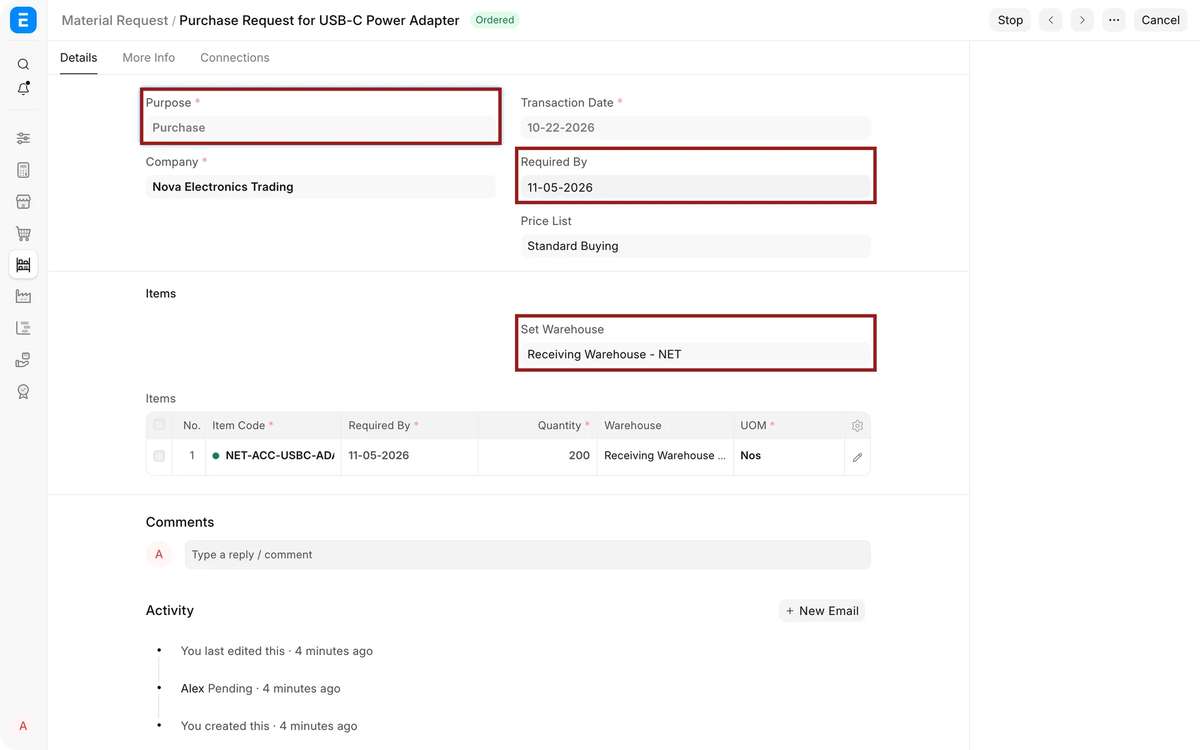
Material Request. A department, a reorder level or the production plan asks for items, quantities and a required-by date.
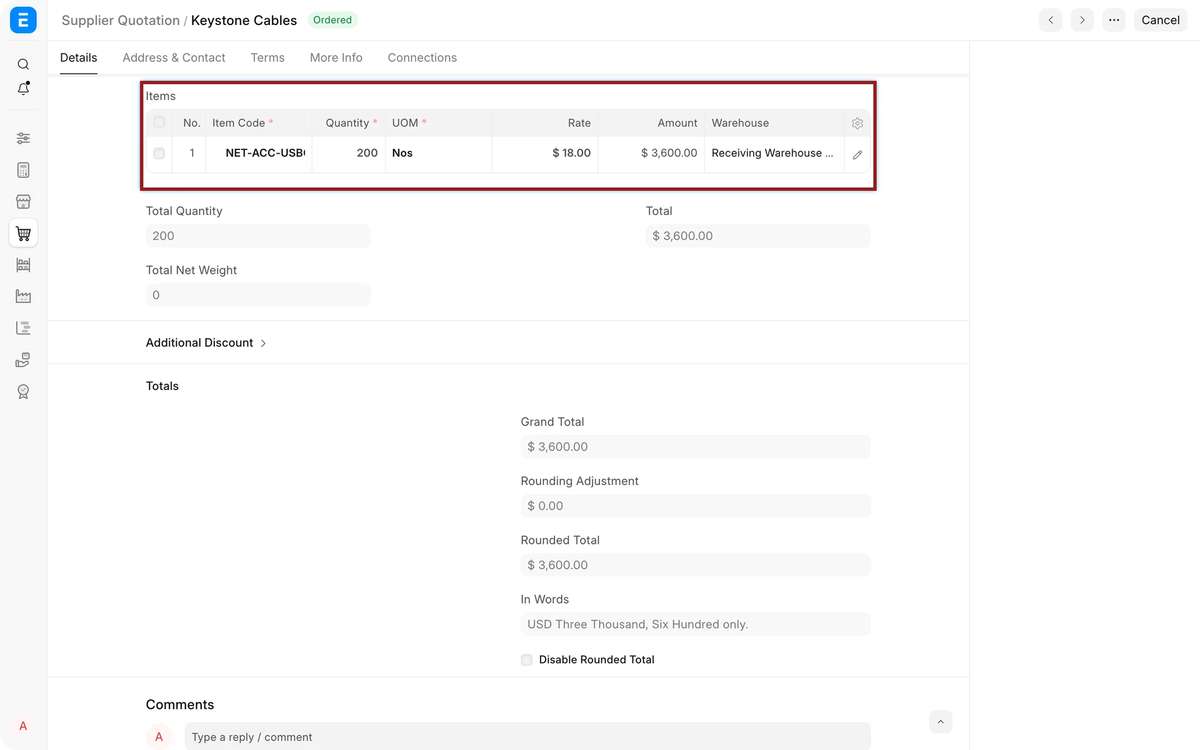
Request for Quotation. Goes to several suppliers, who can reply through the supplier portal.
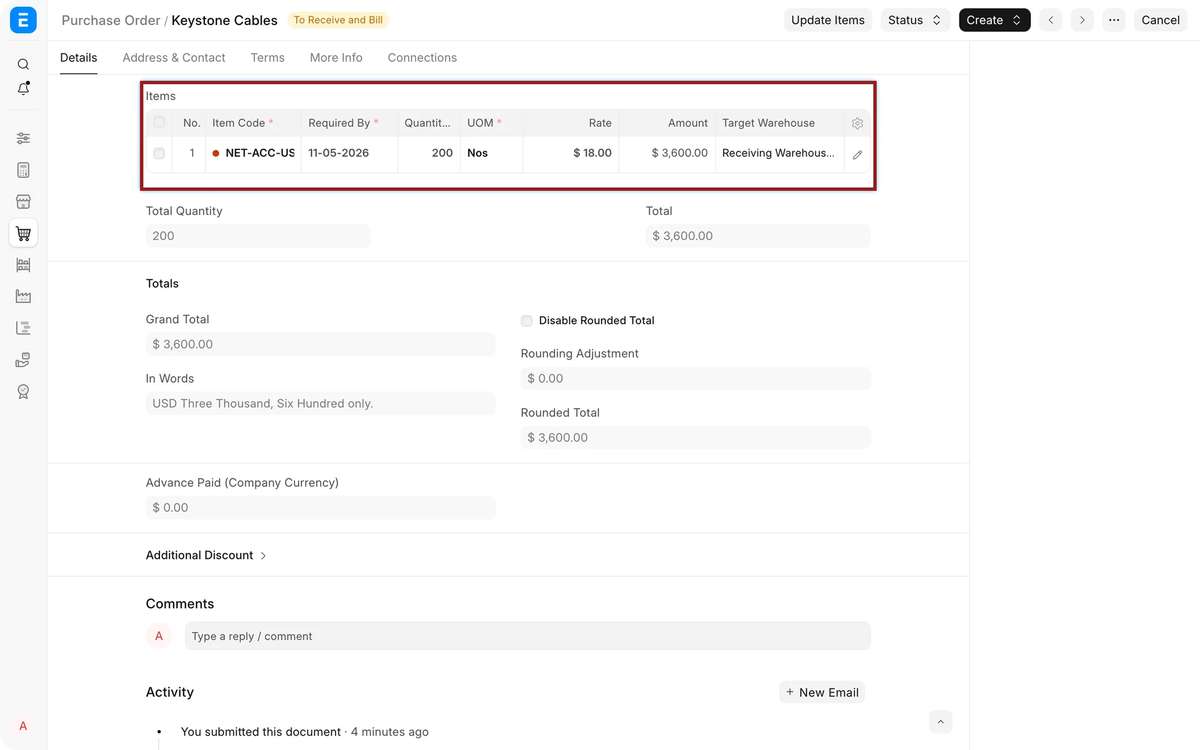
Purchase Order. Commits price, quantity and delivery date once approved.
Purchase Receipt. Records what arrived, with inspection, batch and rejected quantity.
Purchase Invoice. Matches the supplier bill to the order and receipt.
Payment Entry. Pays the supplier and clears the invoice.
At a glance
- Owned by
- Purchase head or procurement manager
- Runs in
- ERPNext, standard module
- Works with
- Inventory, Accounting, Manufacturing, Projects, Asset Management
- Packages
- Included in the Core Starter Pack: ₹80,000, 40 hours, 30 days. GST extra; Frappe Cloud billed separately.
What changes for your purchase team
We map how your team works today before configuring anything. These are the changes department heads notice first.
Key capabilities
- Material requests
- Raised by departments, reorder levels or the production plan, then tracked through to order and receipt.
- RFQ and supplier portal
- Send one RFQ to several suppliers; they quote through the portal and you compare side by side.
- Approval workflows
- Approval steps by amount, department or role before a purchase order can be submitted.
- Supplier scorecards
- Score suppliers each period on criteria you set, such as on-time delivery and rejected quantity.
- Blanket orders
- Agree price and quantity for a term, then call off purchase orders against it.
- Landed cost
- Spread freight, duty and handling into item valuation with a landed cost voucher.
When the standard module does not cover one of your processes, we build the gap in a separate Frappe app, so ERPNext itself stays upgradeable. How we handle customization
See Buying in ERPNext
Screens for your purchase team, from Frappe’s official ERPNext documentation. Select one to see it.
Walkthroughs from Frappe
Official videos from Frappe’s YouTube channel. Nothing loads from YouTube until you press play.
Reports the purchase team gets as standard
These come with ERPNext. Each one can be filtered by company, period or dimension, printed, and exported to Excel.
- Purchase AnalyticsSpend by supplier, item or group over time.
- Supplier Quotation ComparisonBids for the same items side by side.
- Procurement TrackerEach request through to order, receipt and invoice.
- Purchase Order AnalysisOrdered, received and billed quantities, and what is pending.
- Requested Items to Order and ReceiveRequests not yet ordered or delivered.
- Item-wise Purchase HistoryPast rates and suppliers for each item.
- Accounts PayableWhat you owe each supplier, aged by due date.
How Buying connects to the rest of ERPNext
Every module writes to the same database. Nothing is exported, re-keyed or synced overnight between them.
- InventoryReceipts update stock; reorder levels raise material requests.
- AccountingPurchase invoices post payables; budgets can stop orders that exceed them.
- ManufacturingProduction plans raise material requests for shortages; subcontracting orders send material to job workers.
- ProjectsPurchases tagged to a project count toward its cost.
- Asset ManagementFixed assets bought through purchase receipts are created in the asset register.
Industries where Buying does the most work
- ManufacturingDemand-driven material requests and shortage reports before production slips.
- Trading and distributionSupplier quotations, price comparison and landed cost on imports.
- ConstructionSite material requests bought centrally and delivered to each site.
- AutomotiveSupplier scorecards based on rejections and delivery performance.
- Oil and gasSupplier qualification and incoming inspection for critical spares.
Purchasing on ERPNext with Midocean


Purchase runs in ERPNext for Shimnit India and PFive Bags, in the same system as their sales, stock, manufacturing and accounts. See the case studies
Buying questions
Can we set approval limits on purchase orders?
Yes. A workflow can send purchase orders above a set value to a manager or director before they can be submitted.
Can suppliers submit quotations online?
Yes. Suppliers with portal access see your RFQ and enter their rates, which arrive as supplier quotations.
Does ERPNext match invoices to orders and receipts?
Yes. Buying settings can require a purchase order and receipt before an invoice is made, and billing beyond the ordered amount is blocked past the allowance you set.
Can we buy against a long-term contract?
Yes. A blanket order fixes rate and quantity for the term, and purchase orders draw down against it.
How are freight and import duties handled?
A landed cost voucher spreads them across the receipt items and updates their valuation.
Plan your purchasing rollout
A senior consultant walks through how your purchase team works today and recommends a scope for Buying, in writing.