ERPNext Inventory: one stock figure for every warehouse
ERPNext Inventory keeps one stock ledger for every warehouse, with batches, serial numbers and expiry dates on each movement. Receipts, transfers, deliveries and manufacturing update stock and its accounting value together, so stores and finance see the same number. Reorder levels raise material requests before you run out.
- 1
- 2
- 3
- 4
- 5
Purchase Receipt. Brings goods in against a purchase order, with batch, serial and inspection details.
Stock Entry (Material Transfer). Moves stock between warehouses, racks or sites, following putaway rules where set.
Pick List. Tells the picker which batch or serial to take from which location, by FIFO, LIFO or expiry.
Delivery Note. Records what left the warehouse for the customer and reduces stock.
Stock Reconciliation. Posts physical count differences with their value impact.
At a glance
- Owned by
- Head of stores, warehousing or supply chain
- Runs in
- ERPNext, standard module
- Works with
- Buying, CRM, Manufacturing, Accounting, Asset Management
- Packages
- Included in the Core Starter Pack: ₹80,000, 40 hours, 30 days. GST extra; Frappe Cloud billed separately.
What changes for your stores team
We map how your team works today before configuring anything. These are the changes department heads notice first.
Key capabilities
- Warehouse tree
- Group warehouses by site, zone or rack, track stock in transit, and hold stock at job workers.
- Batches and serial numbers
- Manufacturing and expiry dates, warranty, and full movement history for every batch or serial number.
- Reorder automation
- Reorder level and quantity per item and warehouse, raising material requests when stock dips.
- Valuation
- FIFO, moving average or LIFO, recalculated as stock moves, with freight and duty added through landed cost.
- Barcode scanning
- Scan items, batches and serials into receipts, transfers, pick lists and deliveries.
- Quality holds
- Require an accepted quality inspection before a receipt or delivery can be submitted.
When the standard module does not cover one of your processes, we build the gap in a separate Frappe app, so ERPNext itself stays upgradeable. How we handle customization
See Inventory in ERPNext
Screens for your stores team, from Frappe’s official ERPNext documentation. Select one to see it.
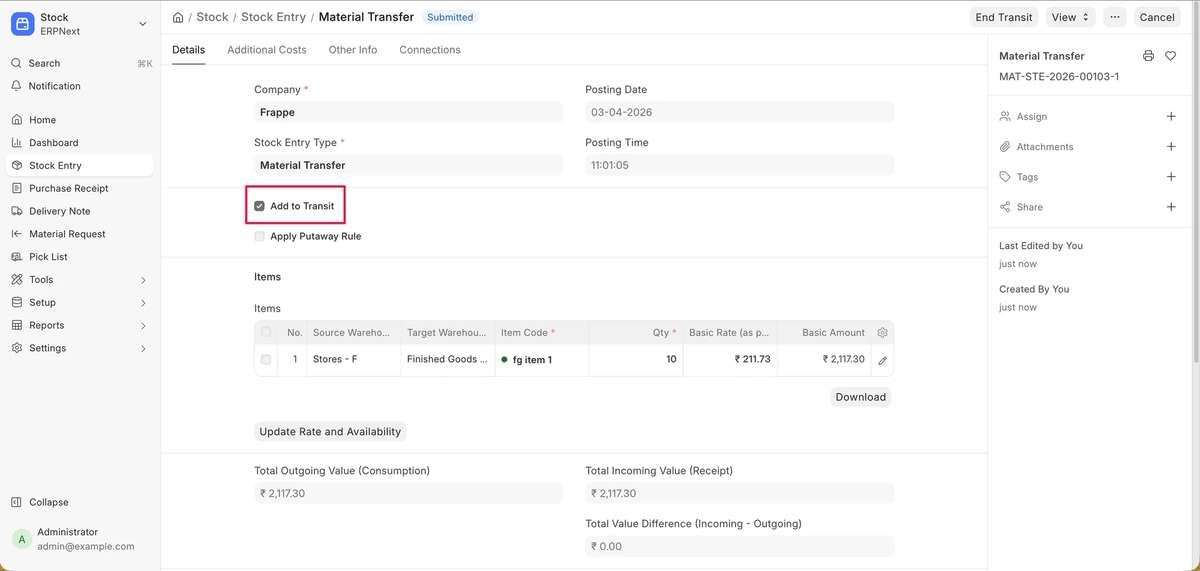
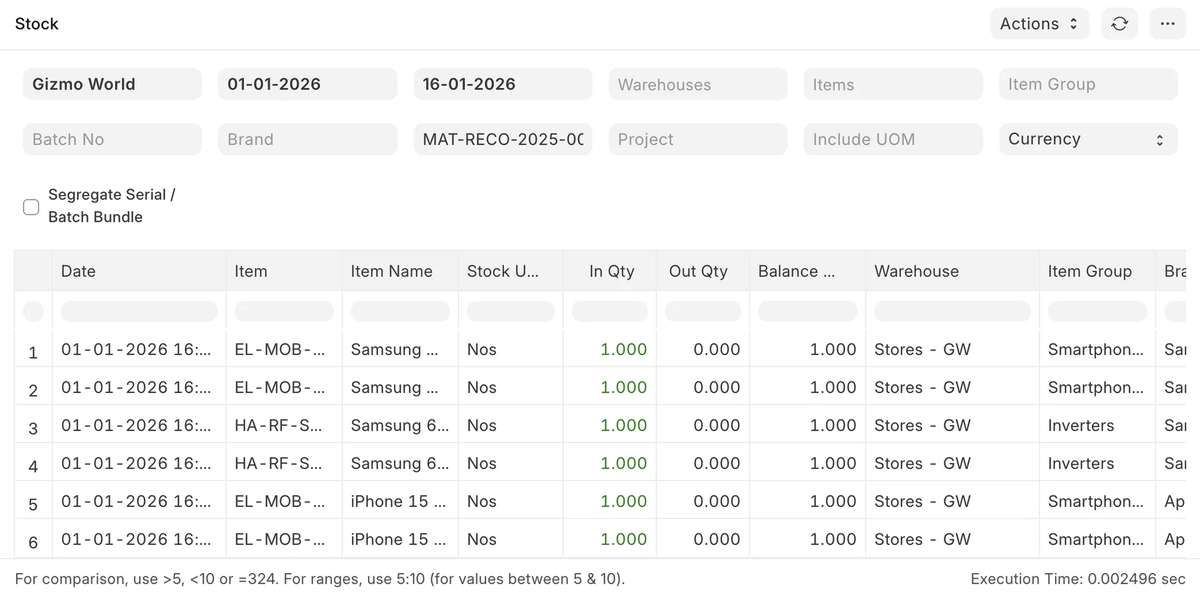
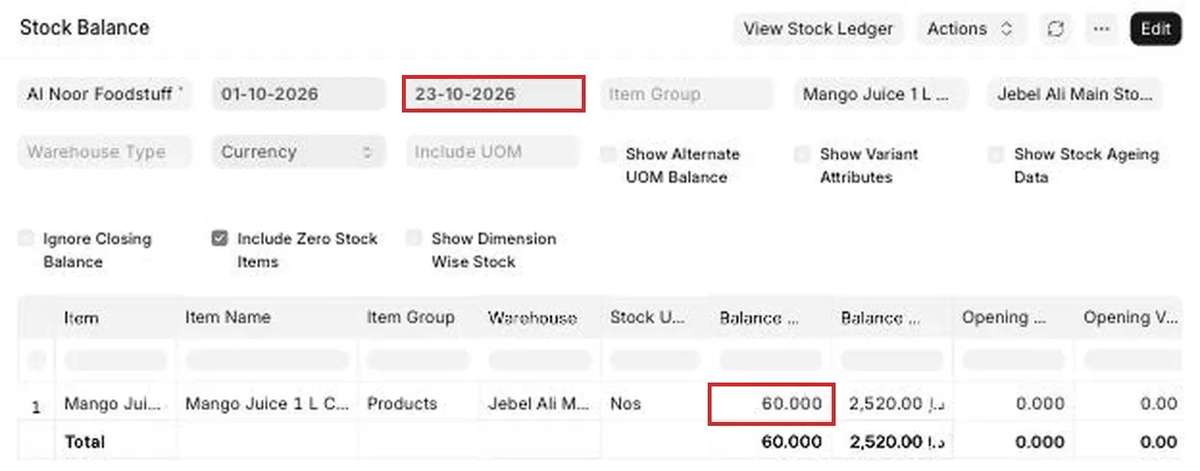
Walkthroughs from Frappe
Official videos from Frappe’s YouTube channel. Nothing loads from YouTube until you press play.
Reports the stores team gets as standard
These come with ERPNext. Each one can be filtered by company, period or dimension, printed, and exported to Excel.
- Stock LedgerEvery movement for an item, batch or warehouse, with running balance and value.
- Stock BalanceOpening, in, out and closing quantity and value by warehouse.
- Stock AgeingHow long stock has sat, to find slow and dead items.
- Stock Projected QtyOn hand, ordered, reserved and planned quantity, with shortfall.
- Batch-Wise Balance HistoryQuantity by batch over a period.
- Batch Item Expiry StatusBatches nearing or past expiry.
- Itemwise Recommended Reorder LevelSuggested reorder levels from past consumption.
- Stock and Account Value ComparisonStock value against the books, to catch mismatches before audit.
How Inventory connects to the rest of ERPNext
Every module writes to the same database. Nothing is exported, re-keyed or synced overnight between them.
- BuyingPurchase receipts bring stock in against purchase orders.
- CRMSales orders can reserve stock; delivery notes ship it.
- ManufacturingWork orders consume raw materials and receive finished goods.
- AccountingEach movement posts its value to stock and cost accounts.
- Asset ManagementSpares issued for repairs come out of stock.
Industries where Inventory does the most work
- Trading and distributionBranch-wise stock, transfers, landed cost and ageing.
- E-commerceStock by warehouse and channel, pick lists and returns.
- ManufacturingRaw material, WIP and finished goods by warehouse.
- HealthcarePharmacy batches with expiry alerts.
- AutomotiveHeat and batch traceability from receipt to dispatch.
- MiningFuel and spares stores with reorder levels.
Stock control on ERPNext with Midocean


“Midocean Technologies implemented ERPNext with a custom mobile app for our operations, making our workflows smarter and more efficient.”
For Shimnit India we migrated 50 lakh (5 million+) serialized inventory records off Epicor. Bluepanda Textile reports 15% lower inventory holding cost and 20% better order-fulfilment accuracy (client-reported). See the case studies
Inventory questions
Can we use barcode scanners?
Yes. ERPNext accepts barcode and QR scans on receipts, stock entries, pick lists and delivery notes, using standard scanners that type into the browser.
How are returns handled?
Sales returns and purchase returns are created against the original delivery or receipt, so stock and accounts reverse together.
Which valuation methods are supported?
FIFO, moving average and LIFO. You set a default and can override it per item.
Can we track stock at job workers or in transit?
Yes. Job-work stock sits in a supplier warehouse and goods in transit in a transit warehouse, so both stay in your balance.
Can stock be reserved for a sales order?
Yes. Stock reservation holds quantity in a warehouse against a sales order so it is not picked for another customer.
Plan your inventory rollout
A senior consultant walks through how your stores team works today and recommends a scope for Inventory, in writing.